

Search by mood or moment
Browse Trending or search by mood, phrase, topic, person, show, or meme. Suggestions keep up as you type.
GIFBarn for iPhone, iPad, and Messages
Search, save, and organize GIFs on iPhone and iPad. Then use GIFBarn Pro to browse Trending, Favorites, Recents, Collections, and Search right inside Messages. Tap once to place the real animated GIF in the compose field.
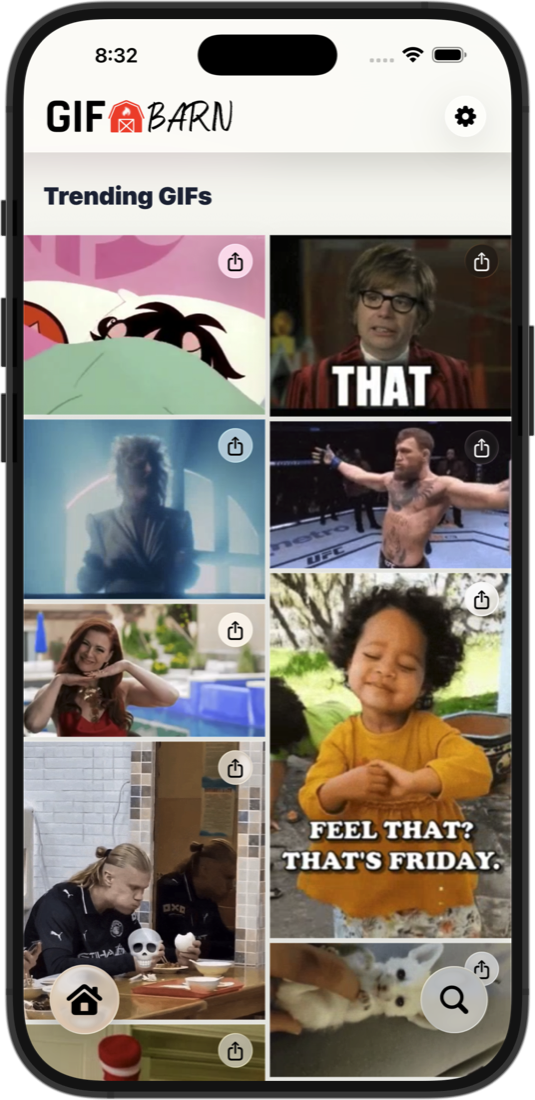
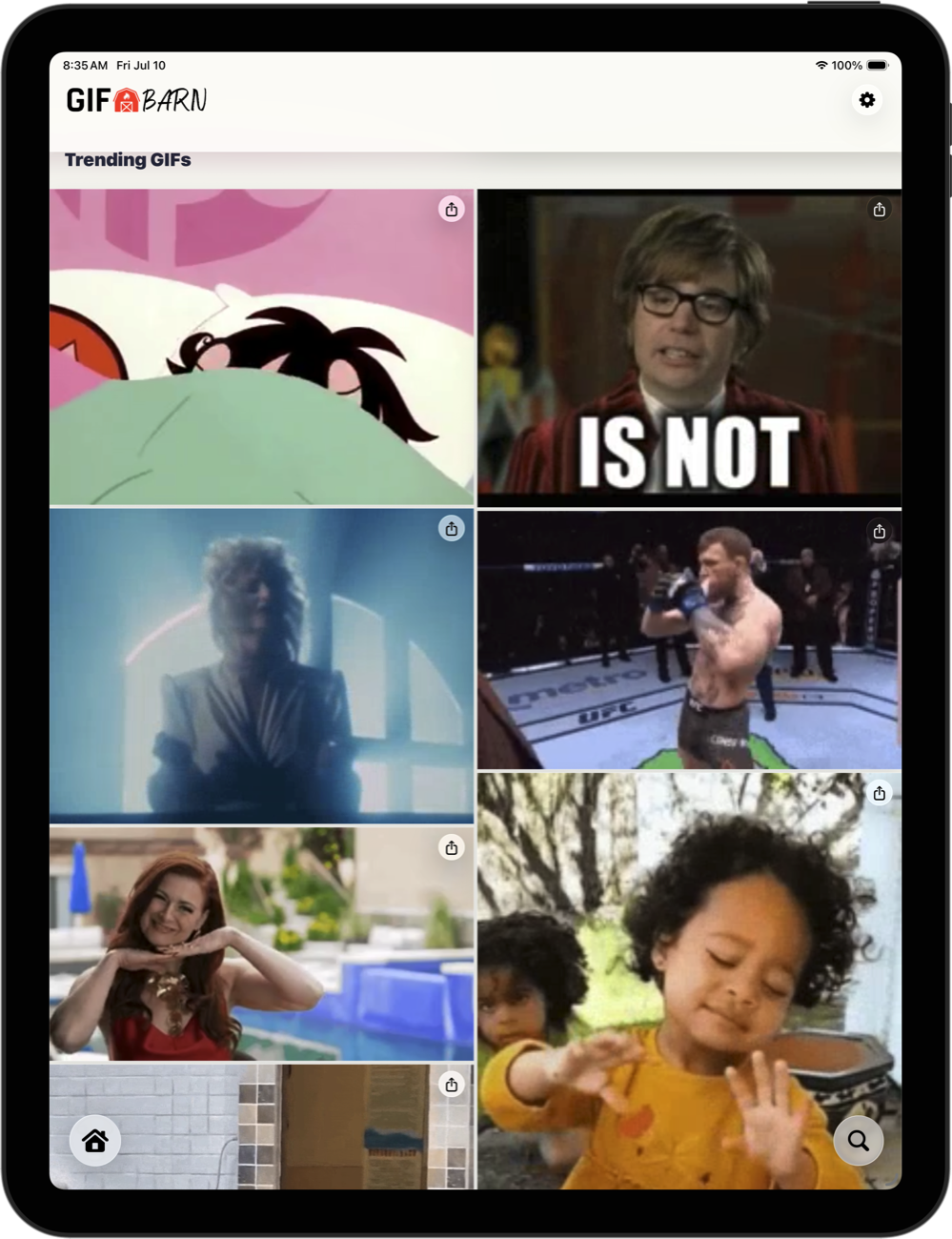
The native iPhone app and adaptive iPad experience keep Trending, Search, your GIF library, and every sharing action close at hand.
Browse Trending or search by mood, phrase, topic, person, show, or meme. Suggestions keep up as you type.
Save the reactions worth using again and jump back to GIFs you recently copied, shared, saved, or dragged.
Build Collections for work, family, game day, group chats, and every mood in between. Start with one Collection.
Tap to copy the actual animated GIF file, use the native share sheet, save it to Photos, or copy its link.
Preview, favorite, add to a Collection, share, copy, save, copy a link, or start a related search.
Browse and organize with adaptive navigation and a two, three, or four-column grid that makes the most of the available space.
With GIFBarn Pro, keep Favorites and Collections in sync through your private iCloud account. Recents and Recent Searches stay local.
One purchase unlocks 11 ready-made Collections, unlimited Collections, optional private iCloud Sync, and GIFBarn in Messages. No subscription.
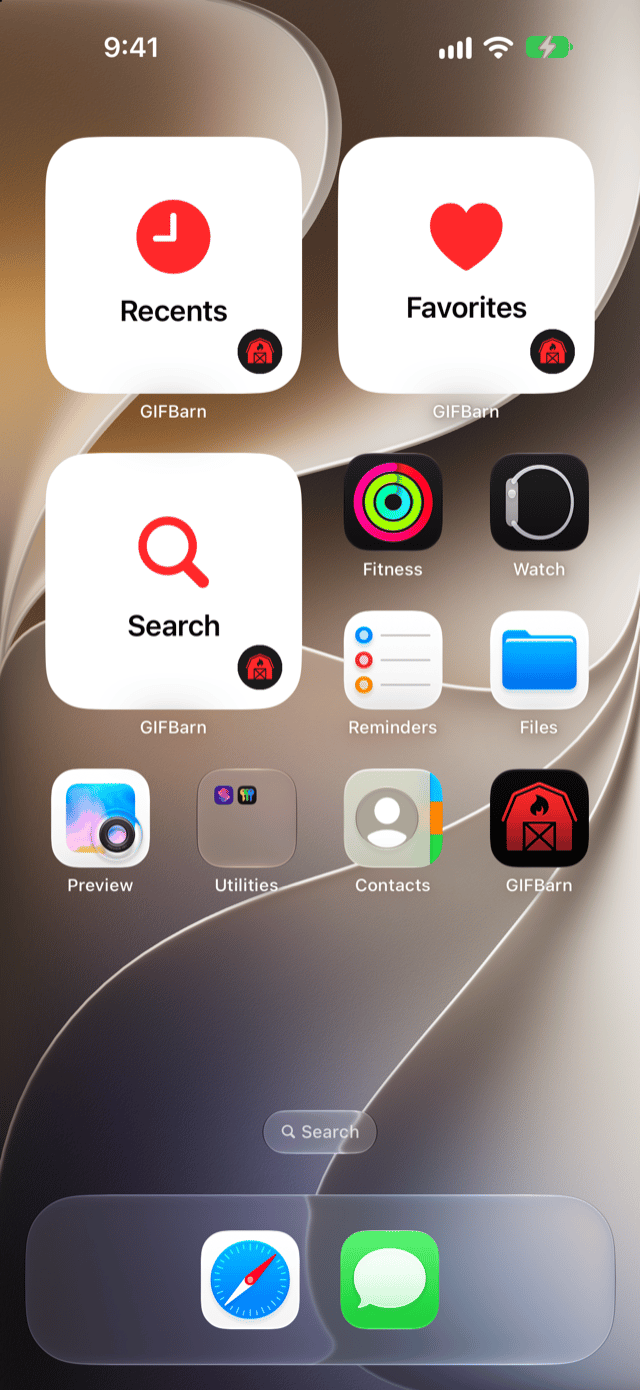
Search, Favorites, and Recents widgets open GIFBarn right to that spot. With GIFBarn Pro, add Favorite GIF, Collection, and Trending widgets.
Add Search, Favorite, and Recent GIFs controls to Control Center or the Lock Screen, or assign one to the Action button on supported iPhones.
Open GIFBarn with Shortcuts. GIFBarn Pro adds more shortcuts, Spotlight results, and “Copy this GIF” with Siri on iOS and iPadOS 27.
Redesigned GIF Details show a big animated preview, with Copy GIF up top and Share, Save, Copy Link, Favorite, and Add to Collection close at hand.
New in GIFBarn 3.3
Widgets on your Home Screen, controls in Control Center and on the Lock Screen, plus Siri, Shortcuts, and Spotlight. The perfect reaction is never more than a tap or a holler away.
GIFBarn in Messages
Browse Trending, Favorites, Recents, and Collections, or search for something new, right inside Messages. Tap a GIF to place the real animated file in the message field, add your own text, and send when the moment is right.
Included with GIFBarn Pro. GIFBarn works as a Messages extension, not a third-party keyboard, and never reads your conversation text, recipients, or message contents.
GIFBarn Pro opens the barn doors
One purchase unlocks 11 ready-made Collections, unlimited Collections, optional private iCloud Sync, GIFBarn in Messages, Pro widgets, Spotlight, and “Copy this GIF” with Siri. No subscription.

Download GIFBarn for iPhone and iPad, then find, save, organize, and send the right GIF wherever the conversation goes.
 Requires iOS and iPadOS 18 or later.