

Ready from your menu bar
Open a compact native GIF picker without jumping to another browser tab.
GIFBarn for Mac
Open GIFBarn and start typing. Search, browse Favorites, Recents, and Collections, then copy or drag the perfect GIF into the conversation without opening another tab. GIFBarn Pro adds 11 starter Collections, unlimited Collections, and optional private iCloud Sync.
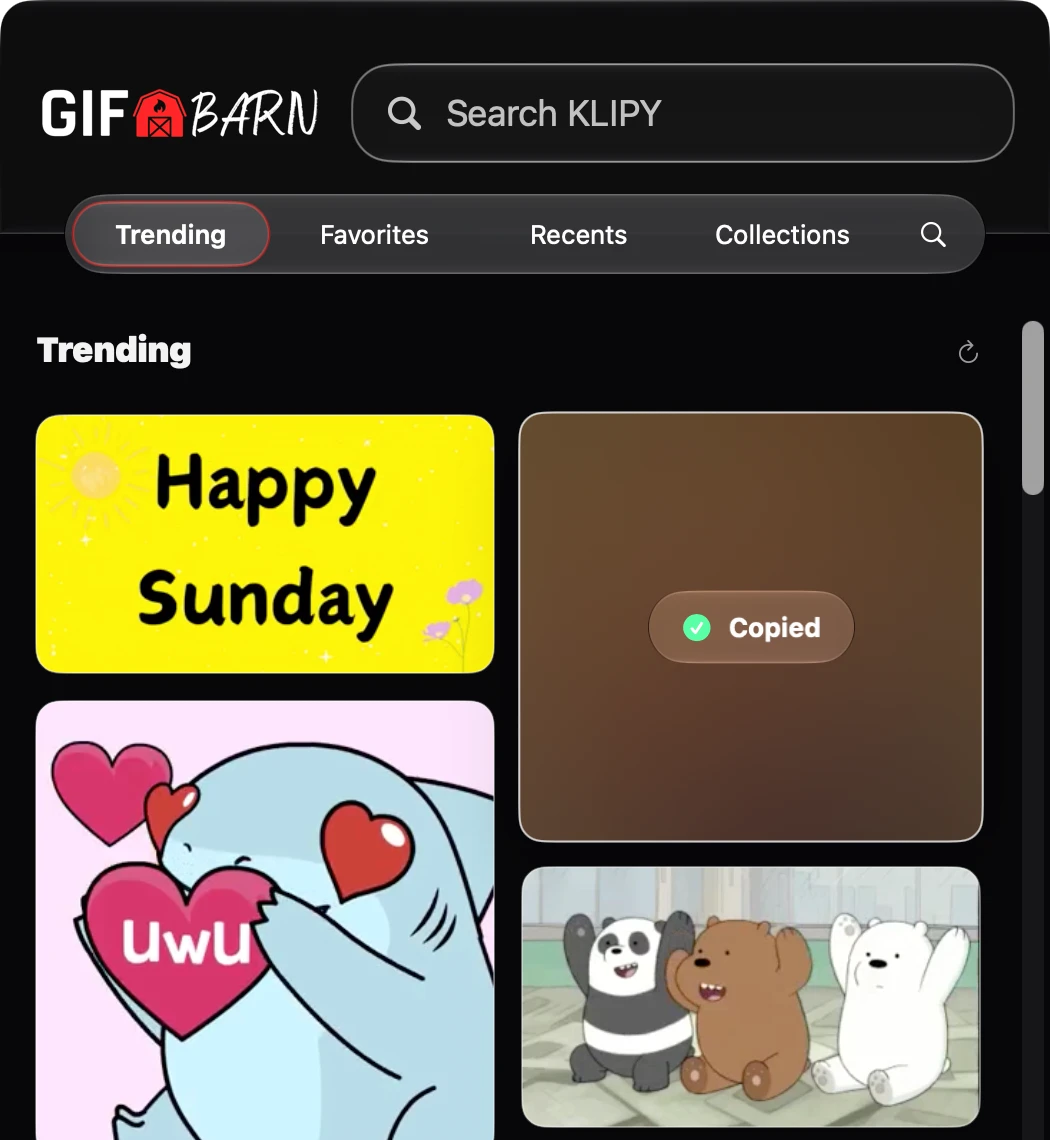
Move between Trending, Favorites, Recents, Collections, and Search, then copy, drag, share, or save the perfect GIF wherever you need it.
Open a compact native GIF picker without jumping to another browser tab.
Keep favorite reactions close and return to GIFs you recently used.
Revisit recent searches or find something new with suggestions as you type.
Click once to copy the actual animated GIF file, not just a link.
Drop GIFs into compatible Mac apps, chats, documents, and replies.
Use the native share picker, copy the source link, or save the GIF to your Mac.
The GIF card itself confirms with Copied or Link Copied, so you can paste with confidence and keep talking.
Search, Favorites, and Recents widgets open GIFBarn right to that spot. With GIFBarn Pro, keep a favorite GIF, a Collection, or Trending in view.
Open Search, Favorites, or Recents with Shortcuts. GIFBarn Pro adds shortcuts that copy a saved GIF, plus Spotlight results for Favorites and Collections.
Collections have left the stable
Stop searching for the same GIFs again and again. Build Collections for work, family, game day, group chats, and every mood in between, so the right reaction is always easy to find.
Start with one Collection. Upgrade to GIFBarn Pro to unlock 11 ready-made Collections, plus unlimited Collections of your own.

Private iCloud Sync
Keep your Favorites and Collections in sync across Mac, iPhone, and iPad through your private iCloud account. Recents and Recent Searches stay on the device where you used them.
Your library stays lightweight and private. GIFBarn syncs library information through iCloud, not an uploaded archive of GIF files. Sync only turns on when you choose it, and no GIFBarn account is required.
Keyboard-friendly
Summon GIFBarn from anywhere with a global shortcut, then search, pick, and copy without reaching for the mouse.
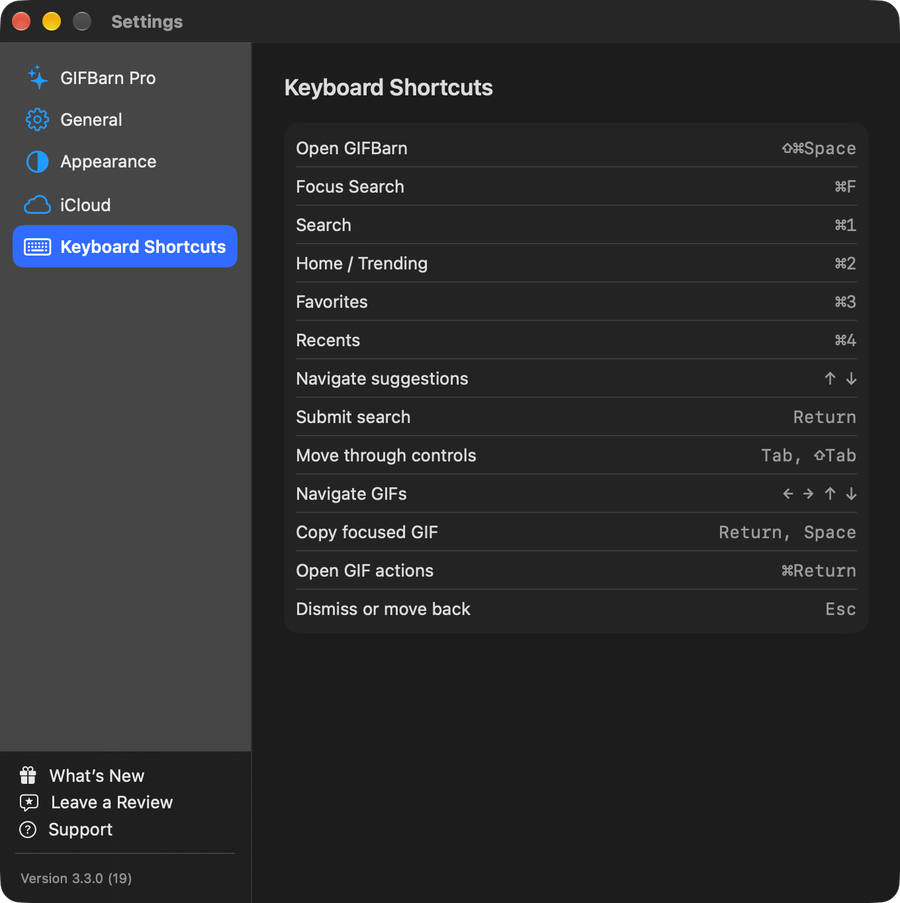

Download GIFBarn for Mac and find, copy, or drag the perfect GIF without breaking your flow.
 Requires macOS 14 or later.