
Shortcuts for everyone
Open Search, Open Favorites, and Open Recents take you right where you want to go.
September 2026 · GIFBarn 3.3.0
GIFBarn now shows up on your Home Screen, Lock Screen, Control Center, Shortcuts, Spotlight, and Siri, so the perfect reaction is never more than a tap or a holler away.
Requires iOS and iPadOS 18 or later, or macOS 14 or later.
iPhone, iPad, and Mac
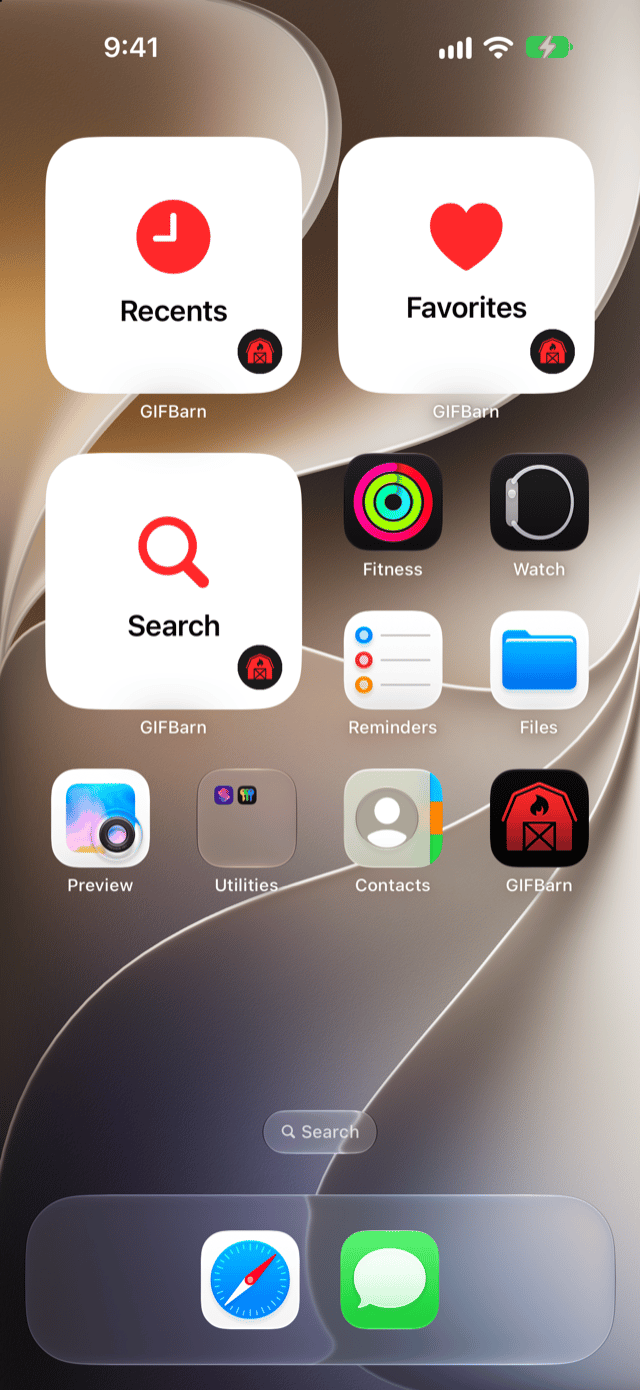
Put GIFBarn on your Home Screen and jump straight to the reaction you need. Widgets come in multiple sizes and look right at home on both light and dark Home Screens.
Widgets show still posters. Tap one to open GIFBarn, where every GIF plays in full animation.
iPhone and iPad
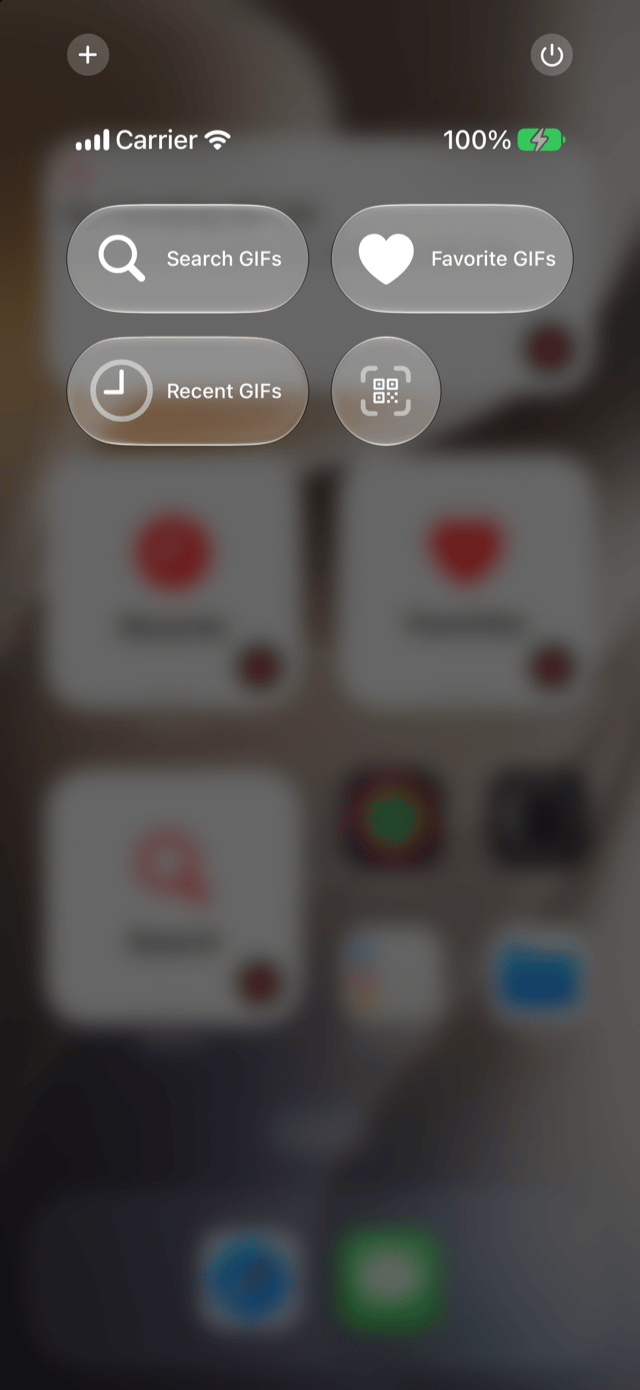
New Search GIFs, Favorite GIFs, and Recent GIFs controls open GIFBarn to exactly where you want to go. One press, GIFs ready.
Siri, Shortcuts, and Spotlight
Just ask. Build Shortcuts around your favorite reactions, find your library in Spotlight, and let Siri lend a hand.
Open Search, Open Favorites, and Open Recents take you right where you want to go.
Search with your own words, Open Collection, Open Saved GIF, and Copy GIF. Get Saved GIF returns the real GIF file, so a Shortcut can copy a favorite without opening the app.
Your Favorites and Collections show up right in Spotlight search.
Siri understands which GIFs are on screen in Trending, Search, and the Library. With GIFBarn Pro, say “Copy this GIF with GIFBarn” to copy the full animated GIF, or have Siri run a GIFBarn search.
Redesigned GIF Details on iPhone and iPad
Every action, one tap away. GIF Details now opens with a big animated preview and puts everything you can do in one place.
A smoother ride around the barn
August 2026 · GIFBarn 3.2.0
Collections, private iCloud Sync, and GIFBarn in Messages arrived in GIFBarn 3.2.0.
Collections have left the stable
Stop searching for the same GIFs again and again. Build Collections for work, family, game day, group chats, and every mood in between, so the right reaction is always easy to find.
Start with one Collection. Upgrade to GIFBarn Pro to unlock 11 ready-made Collections, plus unlimited Collections of your own.
Collection Ideas
Included with GIFBarn Pro
GIFBarn Pro includes these ready-made Collections, then lets you create unlimited Collections of your own.
GIFBarn is now in Messages
Browse Trending, Favorites, Recents, and Collections, search inside Messages, or revisit a recent search. GIFBarn inserts the actual animated GIF—not a video preview, thumbnail, still image, or provider link—and leaves it in the compose field so you can add a message.
Requires GIFBarn Pro. GIFBarn is a Messages extension, not a keyboard, and it never sends automatically.
Private iCloud Sync
Keep your Favorites and Collections in sync across Mac, iPhone, and iPad through your private iCloud account. Recents and Recent Searches stay on the device where you used them.
Your library stays lightweight and private. GIFBarn syncs library information through iCloud, not an uploaded archive of GIF files. Sync only turns on when you choose it, and no GIFBarn account is required.
GIFBarn Pro opens the barn doors
GIFBarn Pro is a one-time purchase that unlocks 11 ready-made starter Collections, unlimited Collections of your own, optional private iCloud Sync, and GIFBarn in Messages. No subscription. No disappearing library. One purchase, forever.
Compare GIFBarn and ProA smoother ride around the barn
Keep it close, and send it before the moment trots away.